
When Morgan Stanley decommissioned two data centers, it hired a moving company instead of a certified provider of data destruction services. Unencrypted client data — Social Security numbers, financial records — later surfaced on internet auction sites. The final bill, according to SEC and OCC enforcement orders (2020–2022): a $35 million SEC fine, a $60 million penalty from the OCC, and a $60 million class-action settlement. One vendor decision cost over $155 million.
You’re probably not retiring two data centers. But if your business is replacing laptops, desktops, or servers, choosing a hard drive destruction service puts you in front of the same decision Morgan Stanley got wrong: who touches your drives, and what proof you’ll hold when a regulator, auditor, or attorney asks what happened to the data.
This guide covers how to evaluate hard drive destruction services and when a different path protects you better. Inside:
- Which service type fits your situation — and when to sanitize instead of destroy
- The certifications that matter (and the paperwork that only looks like proof)
- How to verify chain of custody, and what a defensible certificate of destruction contains
- What each regulation requires, what you’ll pay, and what your devices are still worth
It’s written for IT managers, procurement leads, and operations directors — whether you just need drives gone, or you want your retired devices to do some good on their way out. It does not cover classified or defense data handling, and it won’t teach you DIY destruction.
Table of Contents
- What Do Hard Drive Destruction Services Actually Include?
- Secure Data Destruction: Should You Destroy the Drive, or Sanitize It?
- Onsite vs. Offsite Data Destruction: Which Do You Need?
- How to Evaluate a Vendor’s Chain of Custody
- What a Certificate of Destruction Must Contain
- Compliance Mapping: What Each Regulation Requires of Data Destruction
- The Certification Checklist: What a Qualified Vendor Holds
- Red Flags That Should Disqualify a Vendor
- Pricing Models: What Data Destruction Services Cost and What You’ll Actually Ne
- The Sustainability Case: Destroy the Data, Not the Device
- Destruction vs. Sanitization vs. Extraction: The Decision Framework
- Frequently Asked Questions
- Should we destroy drives onsite or offsite?
- What must a certificate of destruction include to survive an audit?
- Is a free hard drive destruction service safe to use?
- Can we still donate our computers after the drives are destroyed?
- What makes a data destruction service HIPAA-compliant?
- How much does hard drive destruction cost per drive?
- Can data really be recovered from a shredded SSD?
- Get Data Destruction That Proves Itself
What Do Hard Drive Destruction Services Actually Include?
A hard drive destruction service renders the data on retired storage drives permanently unrecoverable — through physical destruction (shredding, disintegration), magnetic erasure (degaussing), or firmware-level sanitization — and documents the result with a serialized certificate you can hand to an auditor. Most providers bundle secure logistics, chain-of-custody tracking, and downstream recycling. Here’s what each service actually is, and what to ask before you buy.
Hard drive shredding services
Shredding services feed drives through industrial cutting machinery that reduces them to metal fragments. It’s the most familiar option — and the one with the most overlooked fine print: particle size is a contract term, not a technical detail.
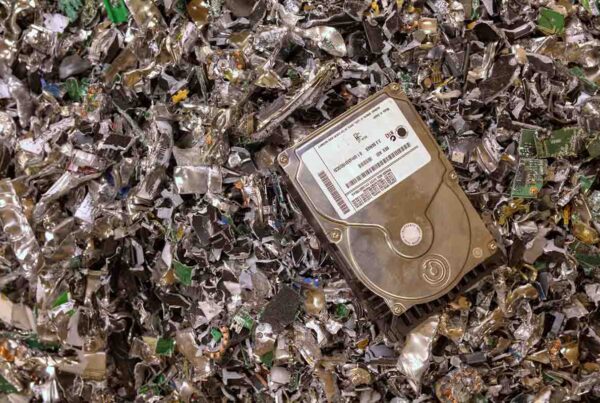
Standard industrial shredders produce 1.5-to-2.0-inch strips. That’s adequate for the glass and aluminum platters in traditional hard drives. It is not adequate for SSDs. An SSD’s data lives on tiny NAND flash chips that can pass through a standard shredder’s cutting teeth fully intact — and a motivated attacker can desolder a surviving chip and extract raw data through what’s called “chip-off” recovery. That’s why sensitive flash media requires micro-disintegration to DIN 66399 security levels E-6 or E-7 — particles of 1mm² or smaller, per the standard. If a vendor quotes you shredding for a mixed fleet, ask two questions: What particle size, and is it different for SSDs?
Degaussing services
A degaussing service destroys data on magnetic media by exposing drives to a magnetic field strong enough to scramble the platters. Degaussing has two hard limits you should know before accepting it in a quote:
- It does nothing to SSDs or flash storage. There’s nothing magnetic to erase. NIST SP 800-88 Rev. 2 (2025) explicitly calls degaussing ineffective against solid-state media.
- It’s now failing on new high-capacity hard drives. Modern HAMR and MAMR drives — newer heat- and microwave-assisted recording designs built for high-density storage — use platters so magnetically resistant that, in published testing, residual data has survived exposure to 20,000-Gauss NSA-listed degaussers.
In simple terms: a vendor still selling degaussing as a universal answer is selling you 2015. It remains legitimate for legacy magnetic drives and tape — nothing newer.
Hard drive disposal and recycling services
A hard drive disposal service handles the full end-of-life path: destruction plus certified downstream recycling of the shredded material, with documentation for both. Legitimate disposal includes hazardous-material compliance and material recovery — not a dumpster. If a vendor’s “disposal” offering can’t name its downstream recycler and certification, that’s not disposal; that’s someone else’s future data breach with your name on it.
Software sanitization services (secure data destruction without the destruction)
Here’s the option most businesses don’t know exists: firmware-level data sanitization that makes data forensically unrecoverable while leaving the drive — and the computer around it — fully functional. Executed to the NIST SP 800-88 “Purge” level via IEEE 2883-2022 commands, sanitization is just as final as shredding for regulated data, and it’s the only option that preserves your devices for donation or resale. The next section explains when it’s the right call.
Want the mechanics of each destruction method — how shredders, degaussers, and erasure software actually work? See our guide to hard drive destruction methods.
Secure Data Destruction: Should You Destroy the Drive, or Sanitize It?
For most business fleets, secure data destruction means sanitize, not shred: NIST SP 800-88’s “Purge” level renders data unrecoverable even by laboratory forensics while leaving the device fully reusable. Physical destruction is the right tool for failed drives, legacy hardware, and classified data — not the default for everything with a power button.
The framework comes from NIST Special Publication 800-88, the U.S. standard for media sanitization. Revision 2, published September 26, 2025, defines three levels:
- Clear — a logical overwrite of accessible storage. Protects against simple recovery software. Appropriate only for devices being redeployed internally.
- Purge — advanced physical or logical techniques that make data recovery infeasible even with state-of-the-art lab forensics. The device remains fully functional. NIST directs organizations to use Purge over Clear wherever possible, and this is the level required for media leaving your control — including drives headed to resale or donation.
- Destroy — physical destruction (disintegration, incineration). Reserved for classified data and media that can’t be purged.
For the technical execution of a Purge, NIST 800-88 Rev. 2 points to a companion standard: IEEE 2883-2022. It specifies firmware-level commands that bypass the operating system and talk directly to the drive controller — Sanitize Block Erase, which electrically clears every flash cell including hidden over-provisioned regions, and Cryptographic Erase, which destroys a self-encrypting drive’s internal encryption key, rendering the data mathematically unrecoverable in seconds while the hardware keeps working.
This matters because the older approach — multi-pass software overwriting under the now-deprecated DoD 5220.22-M standard — quietly fails on modern SSDs: data survives in reserved regions of the drive that an overwrite can’t reach, while the wipe report says clean.
The rule of thumb, straight from current ITAD practice: a device under five years old, functionally and cosmetically viable, whose drive accepts Purge-level commands, should default to sanitization and reuse — donation, resale, or redeployment. Reserve physical destruction for drives that have physically failed, devices older than six years, and media that held classified data. (Deciding between recycling, donating, and reselling? Here’s how to choose.)
And if you’re thinking “only shredding is truly safe” — the data says otherwise. A poorly executed shred (standard particle size, SSD media) leaves intact NAND chips that are recoverable via chip-off extraction. A properly executed Cryptographic Erase leaves nothing to recover. Badly done destruction is less secure than well-done sanitization.
When drives can’t accept Purge commands — failed drives, legacy HDDs without self-encryption — a common vendor practice, consistent with R2v3’s test-repair-retest approach, is drive extraction: the vendor pulls and physically destroys the storage drive, then refurbishes the chassis with a replacement drive for donation or resale. You lose some value to the replacement part, but the device still gets a second life.
Onsite vs. Offsite Data Destruction: Which Do You Need?
Choose onsite data destruction when your compliance framework, contracts, or risk tolerance require that drives never leave your building intact — and accept that witnessed physical destruction usually ends the device’s reuse value. Choose offsite processing with certified chain-of-custody controls for everything else, especially fleets destined for donation or resale.
Onsite (mobile) destruction means the vendor brings the process to you — a truck-mounted shredder or a technician with sanitization equipment working at your facility, where you witness the destruction and drives are reconciled against your ledger on the spot. It exists to shrink the handoff: once your drives leave the dock, physical custody becomes the primary risk vector. Notably, ITAD compliance research finds that 99% of disposition-related breaches and missing-asset incidents occur before the vendor ever takes possession — which is why the chain-of-custody controls in the next section matter at least as much as where the shredding happens.
| Onsite (mobile) destruction | Offsite (depot) processing | |
|---|---|---|
| Transit risk | Eliminated — no intact drive leaves your facility | Managed — dedicated GPS-tracked transit, tamper-evident containers |
| Witnessing | You watch it happen | Portal records, serialized intake, facility audit rights |
| Device reuse value | Usually foreclosed (unless onsite sanitization) | Fully preserved — sanitize-and-reuse options |
| Cost | Premium, typically with minimum volumes | Standard per-asset rates |
| Best for | Witness mandates (e.g., CJIS), no-intact-drives policies | Mixed fleets headed to reuse, donation, or resale |
Onsite destruction is genuinely required when:
- A regulation or contract mandates witnessed destruction — criminal justice data under CJIS policy requires it explicitly, and some client contracts specify it.
- Your internal policy prohibits data-bearing media from leaving the facility intact — common for ePHI and cardholder data environments.
- You need destruction completed and documented today, not after a logistics cycle.
The trade-off to weigh: onsite physical destruction usually forecloses reuse. Once the drive is shredded at your dock, that device’s donation or resale value depends on a replacement drive. If you want both zero-transit-risk and device reuse, ask vendors about the hybrid model: onsite sanitization (Purge-level erasure performed at your facility) or witnessed onsite drive pulls followed by secure offsite processing.
How to Evaluate a Vendor’s Chain of Custody
A defensible chain of custody tracks every drive by serial number from the moment it’s decommissioned until the moment it’s destroyed or sanitized — with no gaps, no co-mingled freight, and no reliance on the vendor to audit itself. Regulators treat unexplained custody gaps as presumptive breaches: under the SEC’s amended Regulation S-P, a missing server discovered during a refresh starts a 30-day customer-notification clock. Here’s what to demand at each of the three phases.
- At decommissioning: serialize the drives, not just the computers. Assets must be tracked by OEM serial number and by the serial number of the internal storage drive — not just your corporate asset tags. The drive, not the chassis, holds the regulated data, and drives get separated from their host machines during maintenance, staging, and theft. Apply disposal tags immediately, and reconcile the physical staging area against your ledger before pickup, using different personnel than the ones who did the decommissioning. (Serialized tracking is a core capability to test when evaluating any ITAD provider.)
- In transit: dedicated, tracked, sealed. Best practice — per current ITAD compliance guidance — is dedicated GPS-tracked vehicles traveling directly to the processing facility with no co-mingled loads, carrying assets in locked, tamper-evident containers, handled by background-checked personnel. The red flag: vendors who move data-bearing assets through generic less-than-truckload (LTL) freight networks, where your pallet of drives sits in unsecured cross-dock warehouses next to furniture shipments.
- At facility intake: your ledger is the source of truth. On arrival, every asset and every extracted drive should be scanned and cross-referenced against your outbound ledger — and any discrepancy should trigger an immediate incident-response protocol, not a shrug. One governance rule matters more than any technology here: the vendor should never perform the initial inventory reconciliation. A vendor grading its own homework has an inherent conflict of interest; regulators have treated ignored inventory discrepancies as a breakdown in corporate governance.
Leading vendors surface all of this in a client portal and can attach destruction records directly to your asset-management system — useful, but a portal is a convenience, not a control. The three phases above are the control.
What a Certificate of Destruction Must Contain
A legally defensible Certificate of Destruction (CoD) is serialized at the individual drive level and states exactly what was destroyed, when, how, to what standard, with what equipment, verified by whom. A certificate that says “one pallet of mixed IT equipment destroyed” is legally indefensible in a regulatory audit — full stop.
Check every certificate for these fields — the anatomy any certified data destruction service should produce by default:
- Date and timestamp of the sanitization or destruction event
- Host device make, model, and serial number
- Storage drive serial number (distinct from the host device)
- The specific standard employed — e.g., IEEE 2883-2022 Cryptographic Erase, or physical shredding to a stated particle size
- The software tool or physical machinery used
- The digital signature of the technician who performed or validated the work
Two red flags hide in vendor paperwork. First, the batch certificate described above — if your auditor asks which drive held the HR database and the certificate says “one pallet,” you have no answer. Second, the Certificate of Indemnification dressed up as proof: a CoI says the vendor took possession of your hardware and assumed financial risk. It is not evidence the data was destroyed. Regulators demand a Certificate of Destruction or Data Sanitization — forensic proof of eradication to NIST 800-88 / IEEE 2883 standards. The Morgan Stanley enforcement made exactly this distinction. Indemnification transfers money; it does not transfer culpability.
For donation scenarios, documentation carries one extra job: it must prove the data was sanitized before the device transferred to the recipient. Your compliance obligations follow the hardware after it leaves your hands — so the certificate, not the recipient’s goodwill, is what protects you.
Compliance Mapping: What Each Regulation Requires of Data Destruction
If your retired drives held health, financial, payment, or consumer data, at least one federal regulation already dictates how they must be destroyed — and your liability survives the handoff to a vendor, from HIPAA and FACTA to PCI DSS, SEC Regulation S-P, and GDPR. The map below is current to 2026:
| Regulation | Who it covers | What it requires at disposal | What failure costs |
|---|---|---|---|
| HIPAA Security Rule | Healthcare providers, plans, clearinghouses + business associates | Documented final disposition of ePHI and the media that held it; forensic proof data is irrecoverable; BAAs with ITAD vendors | Tiered penalties from $145 up to $73,011 per violation; Tier 4 (willful neglect, uncorrected) starts at $73,011 per violation, capped at $2.19M per violation category per year (2026-adjusted). OCR treats missing destruction documentation as willful neglect |
| FACTA Disposal Rule | Any business holding consumer report data — employers, landlords, auto dealers | “Reasonable measures” against unauthorized access at disposal — FTC reads this as shredding, burning, pulverizing, or secure wiping that renders data unrecoverable | FTC civil penalties, 20-year consent decrees, mandatory independent audits |
| GLBA Safeguards Rule | “Financial institutions,” broadly defined — includes mortgage brokers, tax preparers, payday lenders | Written data security plan with secure disposal provisions | FTC enforcement; fines from $50,000 into the millions |
| SEC Regulation S-P (2024 amendments) | Broker-dealers, investment advisers, transfer agents | Disposal policies for all customer information; written incident-response program; 30-day customer breach notification; vendors contractually bound to 72-hour breach notice | Censure, restrictions, multi-million-dollar fines (see: Morgan Stanley, $35M) |
| SOX §404 | Public companies | Auditable internal controls over financial data through end-of-life; broken chain of custody = material weakness | Regulatory and shareholder liability for executives |
| PCI DSS v4.0.1 (Req. 9.4.7) | Anyone storing, processing, or transmitting cardholder data | Media rendered unrecoverable per NIST SP 800-88 / IEEE 2883-2022; locked storage pending destruction; documented custody; quarterly purge verification | Up to $500,000 per incident; loss of card-processing privileges |
| GDPR / UK GDPR (Art. 28) | Any firm processing EU/UK residents’ data | Vendors must provide “sufficient guarantees”; sub-processors need your written authorization; you remain liable for vendor failures | Up to €20M or 4% of global annual revenue |
| State disposal laws | Varies — 35+ states have them (e.g., NY SHIELD Act, California CPRA) | Reasonable security procedures for disposal of personal information | Independent state AG enforcement actions |
Penalty figures per the HHS 2026 inflation-adjusted schedule, card-brand fine schedules, and FTC enforcement history.
The pattern across every row: outsourcing destruction never outsources accountability. Under GDPR the controller stays liable for the processor; under Reg S-P the institution answers for the vendor; under HIPAA the covered entity owns the breach. Which is why the rest of this guide is about vendor selection — it’s the only control you fully own.
The Certification Checklist: What a Qualified Vendor Holds
Three credentials are non-negotiable when vetting a data destruction vendor: NAID AAA for destruction security, R2v3 or e-Stewards for downstream hardware handling, and IEEE 2883-2022 written into the vendor’s SOPs for flash media. Self-attestation counts for none of them — verify every certificate with the issuing body before you shortlist.
- NAID AAA (i-SIGMA) — the facility-level credential specifically for destruction security, enforced by unannounced audits: accredited inspectors can arrive any business day and pull a random chain-of-custody manifest against the assets on the floor.
- R2v3 or e-Stewards — governs what happens to the hardware downstream. R2v3’s “test, repair, retest” cycle maximizes how many devices qualify for reuse — the certification that matters most if your fleet is headed to donation or resale. e-Stewards enforces a stricter functional-or-recycle rule with hard export controls (and notably requires NAID AAA for its data-bearing processors).
- IEEE 2883-2022 in the vendor’s written SOPs — not a certificate, but a tell. Ask to see the standard operating procedure for flash media. A vendor that claims to “multi-pass overwrite” NVMe drives, or defaults to shredding all SSDs without attempting Cryptographic Erase first, is operating on outdated science — and that’s a security vulnerability wearing a lab coat.
Human-I-T holds NAID AAA, ISO 14001, ISO 14001, and ISO 45001 certifications.
Want the full breakdown of what NAID AAA, R2v3, and NIST 800-88 each guarantee — and what they don’t? We wrote the deep dive: Certified e-waste recycling standards explained.
Red Flags That Should Disqualify a Vendor
Four warning signs reliably predict a vendor that will cut corners with your data: “free” destruction offers, per-pound pricing, brokers posing as processors, and batch paperwork instead of serialized certificates. Most were present in the industry’s most expensive failure: Morgan Stanley hired an uncertified mover, its assets passed to an unvetted downstream firm, and its paperwork couldn’t prove destruction — a failure that compounded in 2019 when 42 servers went missing during a hardware refresh, per SEC enforcement records. Counting a 2023 settlement with five state attorneys general, the ITAD-related total reached $161.5 million. Screen for these:
- “Free pickup, free destruction.” Secure logistics, erasure software licensing, NAID AAA compliance, and certified labor are expensive. If the service is free with no structured revenue-share agreement, the economics only work one way: your data — or your remarketable hardware — is the product. Industry guidance is blunt on this: free ITAD is a leading indicator of downstream data exposure.
- Per-pound pricing. Paying by weight tells the vendor your NVMe drives are worth the same as scrap aluminum. It incentivizes shredding remarketable assets to hit tonnage quotas — destroying your recovery value and violating R2v3 reuse principles in the process.
- Brokers posing as processors. Polished website, no facility. If a vendor refuses a site visit, can’t show NAID AAA certification matching its own corporate address, or relies entirely on third-party freight, it’s a broker — your drives will be subcontracted to the lowest bidder, and every handoff multiplies loss risk.
- Batch certificates or Certificates of Indemnification instead of serialized CoDs — covered above, and worth repeating: if the paperwork can’t name your drive, it can’t protect your company.
Pricing Models: What Data Destruction Services Cost and What You’ll Actually Ne
Data destruction pricing follows three models. Per 2026 ITAD procurement benchmarks: fee-for-service (roughly $5–$15 per drive wiped or shredded, $15–$30 per laptop, $50–$150 per server), revenue-share (free processing, vendor keeps 20–40% of resale), and hybrid (line-item fees plus a share of resale). The right one depends on whether your fleet is ending its life or starting a second one.
| Model | What you pay | Who keeps resale value | Corner-cutting risk | Best for |
|---|---|---|---|---|
| Fee-for-service | Flat rate per asset; logistics separate | You keep 100% | Low — vendor is paid for the work itself | Pure destruction mandates; pure donation programs |
| Revenue-share | Nothing (or nominal freight) | Split 60/40 to 80/20 in your favor | Higher — vendor margin lives in your hardware | Fleets of recent, high-value, functional devices |
| Hybrid | Line-item fees for logistics + data work | Share applied after fees, pre-split | Lowest — destruction work is paid explicitly | Mixed fleets; the most transparent structure |
Read the revenue-share mechanics before signing. In a pre-split deduction model, processing fees come off the top before the split: a $100 sale with $20 in fees, split 70/30, nets you $56. In a post-split model, all fees come out of your share: same sale nets you $50. Over a thousand-device fleet, that clause is real money.
For donation-heavy fleets, the math shifts: you’re buying sanitization-as-a-service and receiving Fair Market Value documentation instead of capital. Two IRS mechanics to know — noncash donations over $500 require Form 8283, and claimed deductions over $5,000 for similar items require a qualified appraisal with Section B of that form. A vendor that supports FMV documentation is doing part of your tax compliance for you. Recommend: fee-for-service for pure donation, hybrid when the fleet mixes donation and resale.
The Sustainability Case: Destroy the Data, Not the Device
Choosing Purge-level sanitization over shredding is the single most quantifiable environmental decision in your IT lifecycle: per lifecycle assessments — including research from Cranfield University and the Fraunhofer Institute — manufacturing accounts for 60% to 80% of lifetime emissions across laptops, servers, and network switches, with device-level laptop studies putting it even higher. The emissions live in the factory, not the power cord. Extending a device’s life defers the manufacturing of its replacement.
The numbers your ESG team can take to the bank, with sources:
- Extending one laptop’s life through certified refurbishment avoids approximately 316 kg of CO₂-equivalent emissions, per the Cranfield/Fraunhofer research — about 93% of a new laptop’s total footprint.
- At fleet scale: 1,000 laptops routed to reuse instead of the shredder avoids roughly 316,000 kg of CO₂e — the equivalent of taking 80 passenger cars off the road for a year.
- These avoided emissions are formally reportable under the EU’s CSRD (via ESRS E1) and the GHG Protocol’s Scope 3, Category 2 (Capital Goods).
- The context: the world generated 62 million metric tons of e-waste in 2022, and only 22.3% was formally recycled, according to the UN Global E-waste Monitor 2024 (UNITAR/ITU). Every reused device is tonnage diverted from that stream.
Here’s where we should be honest about who’s writing this: any certified vendor can shred your drives, and several can sanitize them for resale. What a pure-play ITAD company cannot do is turn your retired laptop into a family’s first home computer. Human-I-T is a nonprofit social enterprise: devices that arrive with data get Purge-level sanitization with full documentation — our secure IT equipment donation guide walks through the process end to end — and devices that leave go to people on the wrong side of the digital divide: students, job seekers, families getting online for the first time, alongside our broader ITAD services for business. Your fleet refresh becomes data security, an ESG line item, a tax deduction, and measurable community impact.
The same decision that protects your data best is the one that wastes the least.
Destruction vs. Sanitization vs. Extraction: The Decision Framework
Match the method to the device: sanitize and reuse machines under five years old whose drives accept NIST Purge-level commands; extract and destroy the drive when it has failed or can’t be purged, then refurbish the chassis; reserve full physical destruction for classified data and end-of-life hardware. The table below compares security, financial return, and carbon impact for each path.
| Decision variable | Sanitize & donate/resell (Purge) | Extract drive & destroy, refurbish chassis | Full physical destruction (Destroy) |
|---|---|---|---|
| Data security level | Purge: irrecoverable by lab forensics (IEEE 2883-2022) | Drive destroyed; chassis data-free | Highest: entire device destroyed |
| Device afterward | Fully functional, original storage | Functional chassis, needs replacement drive | Destroyed; sent for metal recovery |
| Financial return | Highest: full device value preserved | Moderate: chassis value minus replacement drive | Zero: you pay processing fees |
| ESG / carbon impact | Maximum: ~316 kg CO₂e avoided per laptop | Moderate: chassis reused | Minimal: embodied carbon wasted |
| Documentation | Serialized Certificate of Data Sanitization | CoD for drive + sanitization record for chassis | Serialized CoD with particle-size verification |
| Best for | Devices <5 years old, functional, accept Purge commands | Failed drives; legacy HDDs without self-encrypting drive (SED) capability | Classified data; devices >6 years old; failed hardware |
Frequently Asked Questions
Should we destroy drives onsite or offsite?
Onsite destruction is required when regulations or contracts demand witnessed destruction (CJIS criminal justice data is the clearest case) or when policy forbids intact drives from leaving your facility. Offsite processing with GPS-tracked dedicated transit, tamper-evident containers, and serialized intake reconciliation can be equally defensible for most businesses when those controls are contractually required and verified — and it preserves more options for device reuse.
What must a certificate of destruction include to survive an audit?
A defensible certificate is serialized per drive: date and timestamp, host device make/model/serial, drive serial number, the exact standard used (e.g., IEEE 2883-2022 Cryptographic Erase or shredding to a stated particle size), the tool or machinery used, and the technician’s digital signature. Batch certificates (“one pallet destroyed”) and Certificates of Indemnification do not prove data destruction.
Is a free hard drive destruction service safe to use?
Generally no. Secure destruction has real costs — certified labor, erasure software licensing, tracked logistics, audited facilities. A vendor offering it free without a structured revenue-share agreement typically recovers margin by skipping sanitization steps, exporting e-waste, or reselling data-bearing assets. Free ITAD is a leading indicator of downstream data exposure.
Can we still donate our computers after the drives are destroyed?
Yes, two ways. Preferred: skip destruction entirely and use Purge-level sanitization (IEEE 2883-2022), which makes data forensically unrecoverable while keeping the device fully functional for donation. Alternative: have the vendor extract and destroy the drive, then refurbish the chassis with a replacement drive. Only drives that can’t accept Purge commands need the second path.
What makes a data destruction service HIPAA-compliant?
At a minimum, auditors look for three things: a signed Business Associate Agreement with the vendor, destruction or sanitization executed to a recognized standard (NIST SP 800-88 Purge or Destroy), and serialized documentation proving each drive’s ePHI is irrecoverable. These are the baseline — not a substitute for your own compliance program. OCR treats missing destruction documentation as willful neglect, where 2026 penalties start at $73,011 per violation and cap at $2.19 million per violation category per year.
How much does hard drive destruction cost per drive?
Per 2026 ITAD procurement benchmarks, fee-for-service rates run $5–$15 per drive for wiping or shredding, $15–$30 per laptop, and $50–$150 per server, with logistics billed separately. Revenue-share models process for free and keep 20–40% of resale value instead.
Can data really be recovered from a shredded SSD?
Yes — if the particle size is wrong. Standard 1.5–2.0″ industrial shredders can pass an SSD’s NAND memory chips through intact, and attackers can extract raw data from surviving chips via chip-off recovery. Sensitive SSDs require micro-disintegration to DIN 66399 E-6/E-7 particle sizes (≤1mm²) — or better, firmware-level Cryptographic Erase, which leaves nothing to shred.
Get Data Destruction That Proves Itself
Whether your drives need certified destruction or Purge-level sanitization with a second life attached, the paperwork — and the mission — come standard.
Get certified data destruction with serialized certificates — request a quote →
Retiring devices that still have life in them? See how secure IT equipment donation works — sanitization, documentation, FMV support, and impact reporting included.
Decommissioning at data center scale? Explore data center ITAD services for high-volume server and storage disposition.